Koiko

A living koi pond for your desk.
Four koi on a round screen, under real-looking water. Feed them, lead them with your finger, and watch them glide under the lily pads.
Install on your screen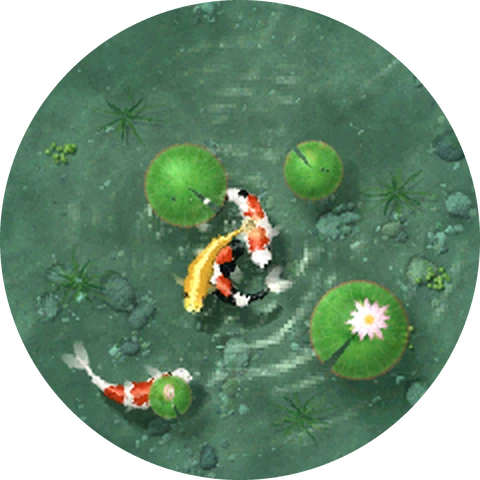
Install
- Plug the screen into this computer or an Android phone with a USB-C data cable.
- Press Install and pick the board from the list (it shows as USB JTAG/serial).
- Wait for 100%. Koiko restarts and fills its pond.
How to use
Tap the waterDrops a pinch of food. The koi race to it.
Tap a koiIt startles, dives and darts away.
Drag your fingerThe koi follow it and nibble at the surface.
Hold stillA ring fills up and opens the menu: your koi, brightness, Wi-Fi, updates.
Updates
- Hold the screen to open the menu, choose Wi-Fi: set up, and scan the code with your phone.
- Pick your network on the page that opens. Koiko only uses Wi-Fi to check for updates.
- Any time later: menu > Check for update. Koiko restarts, downloads the newest version from this site and keeps your pond.
Changelog
- v0.1.0first test build
The pond: four koi (Kohaku, Sanke, Showa, Ogon), lily pads with a flower and a bud, duckweed and water weeds, calm water with refraction, light ripples and sparkles. Feeding, startling, leading with a finger. Menu with your koi, brightness, Wi-Fi and updates over the air. The pond is saved and survives power cuts.